
01
Vehicle check-in
The attendant records plate, ticket, customer, condition notes, and key details from the mobile interface.
How Gloryna Valet works
Gloryna Valet connects the guest, attendant, supervisor, and owner in one operating flow. The result is faster intake, clearer vehicle location, fewer calls, cleaner payments, and reports your team can actually use.
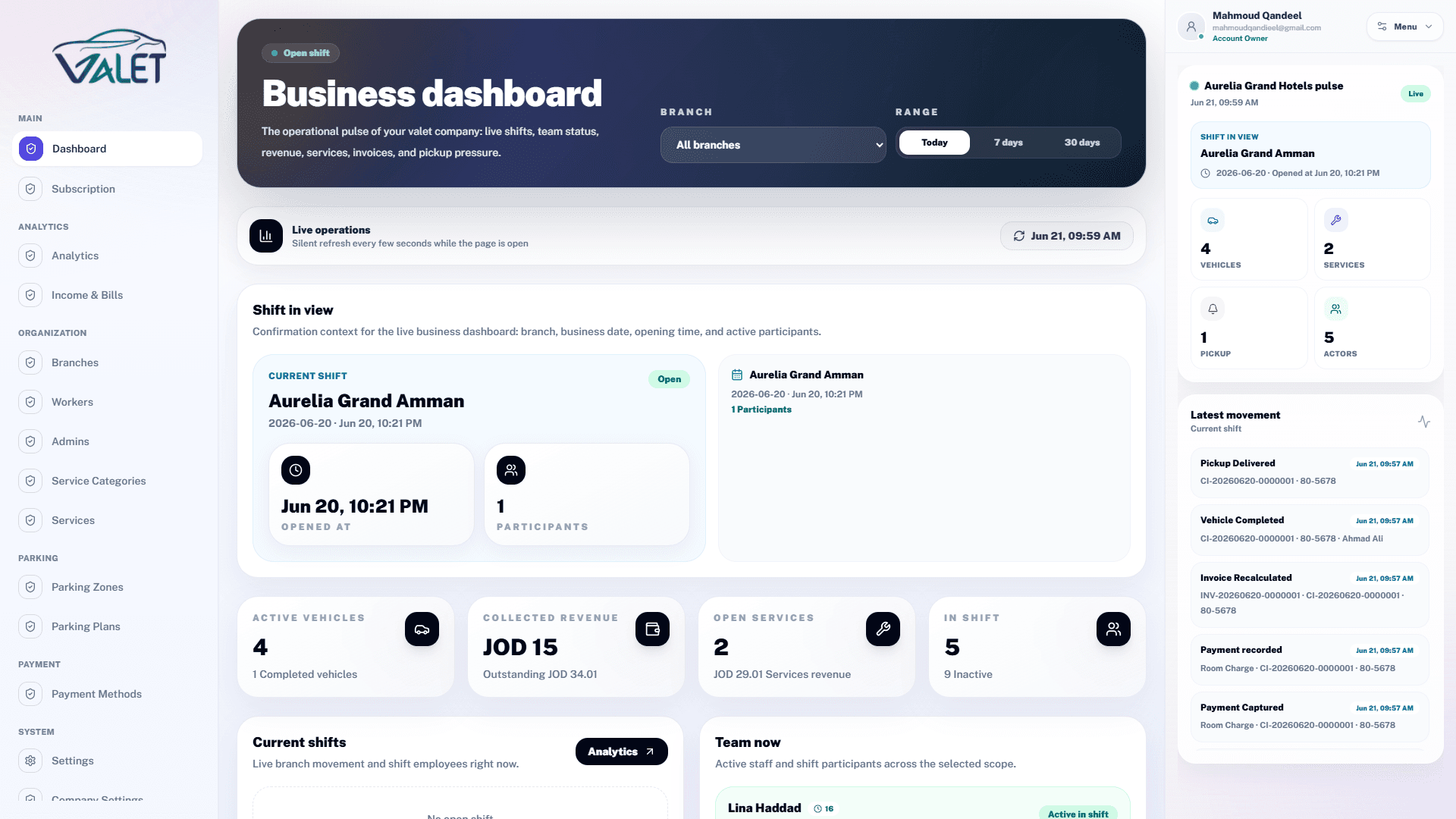
The platform is built around the real movement of a vehicle, not around disconnected forms. Each step creates data that helps the next step move faster.
The attendant records plate, ticket, customer, condition notes, and key details from the mobile interface.
The vehicle is assigned to a zone or location so retrieval does not depend on memory or verbal handover.
The guest can request the vehicle through a link, and the team receives the request with the right context.
Attendants and supervisors see active requests, open tickets, and the next action needed during the shift.
Services and invoices stay connected to the vehicle record until the ticket is closed cleanly.
Managers review activity, revenue, branches, and performance trends after each shift and across locations.
The guest gets a simple experience, the attendant gets a mobile workflow, and management gets control without chasing manual updates.
These product screens show how the same operation appears across mobile, dashboard, customer links, invoices, and analytics.
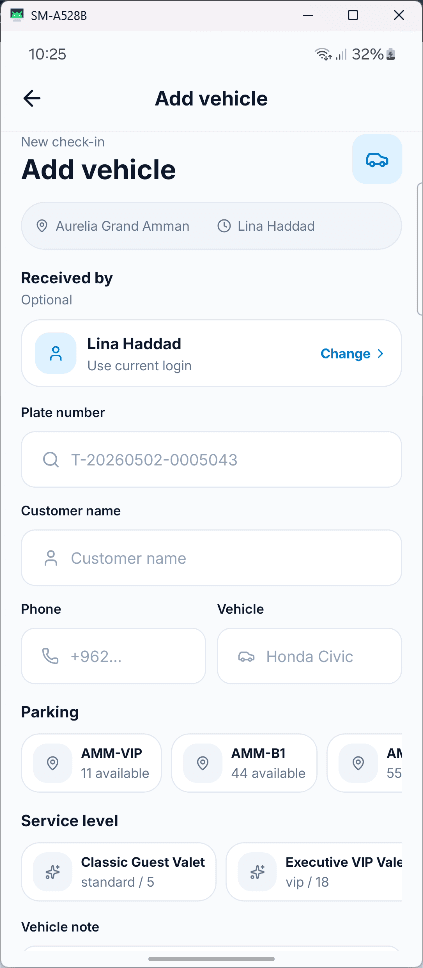
The attendant captures the vehicle details from the entrance without slowing the queue.
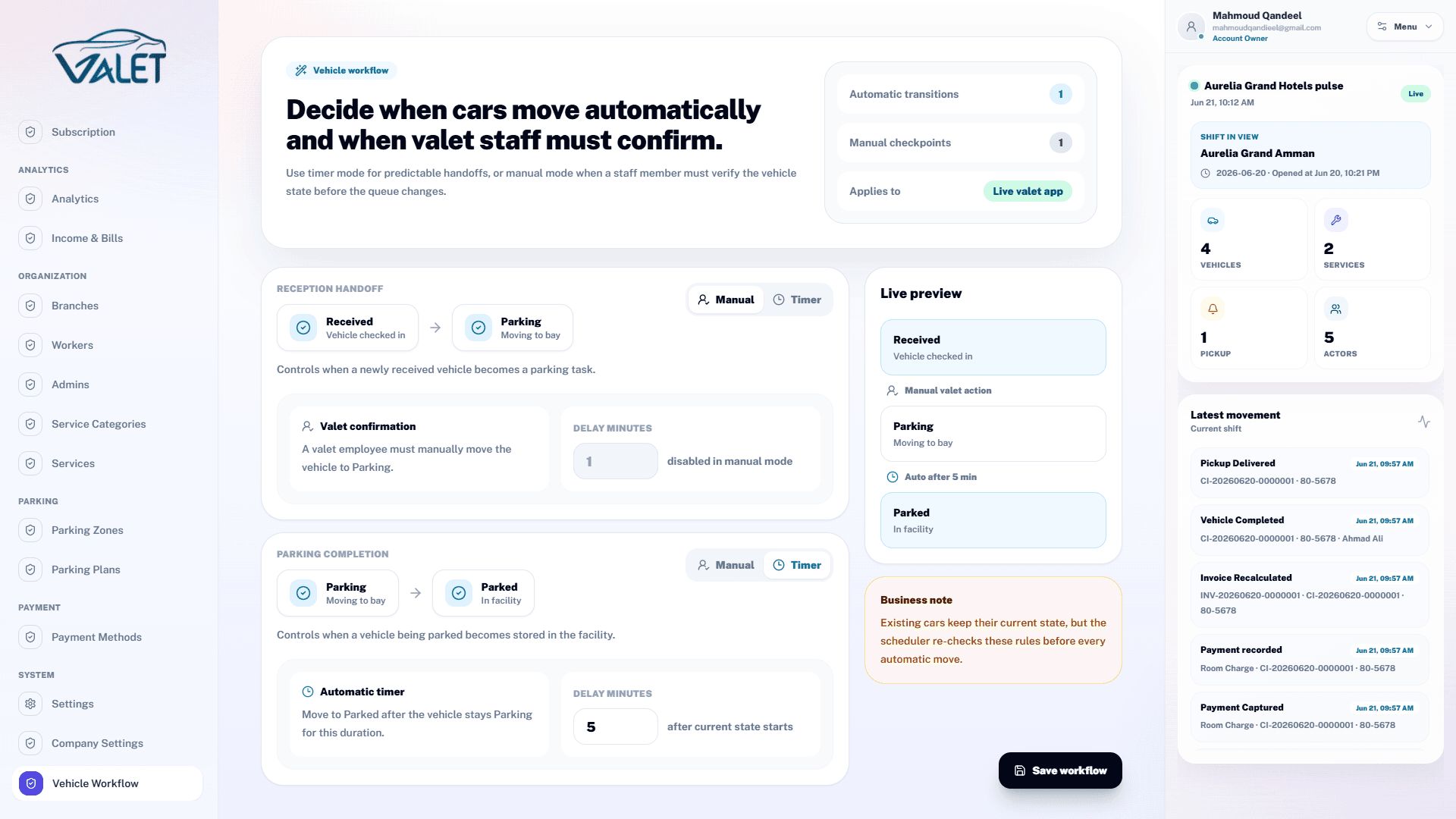
Every vehicle moves through clear statuses from arrival to handover.
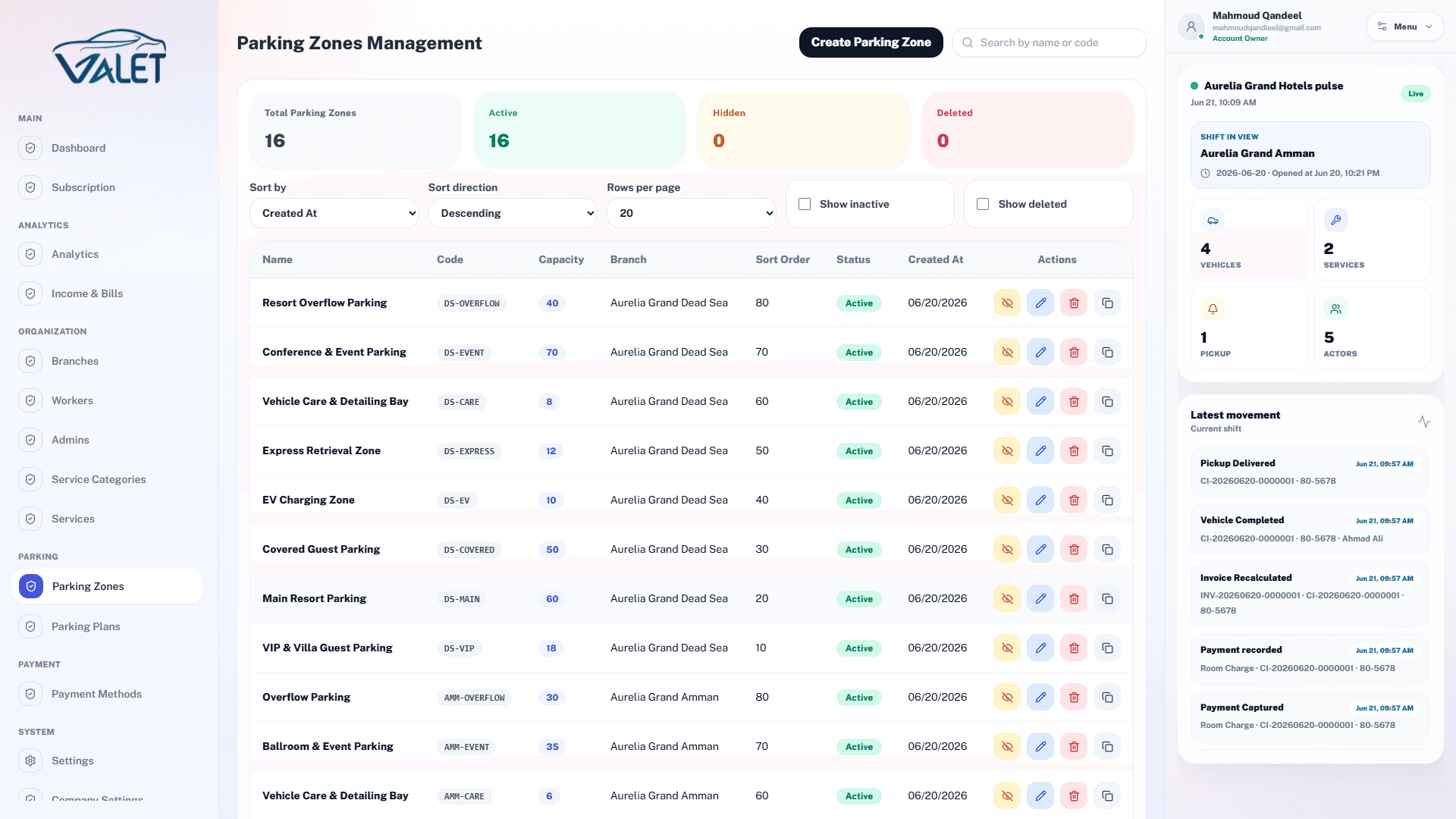
Teams know where each vehicle is parked and how capacity is being used.
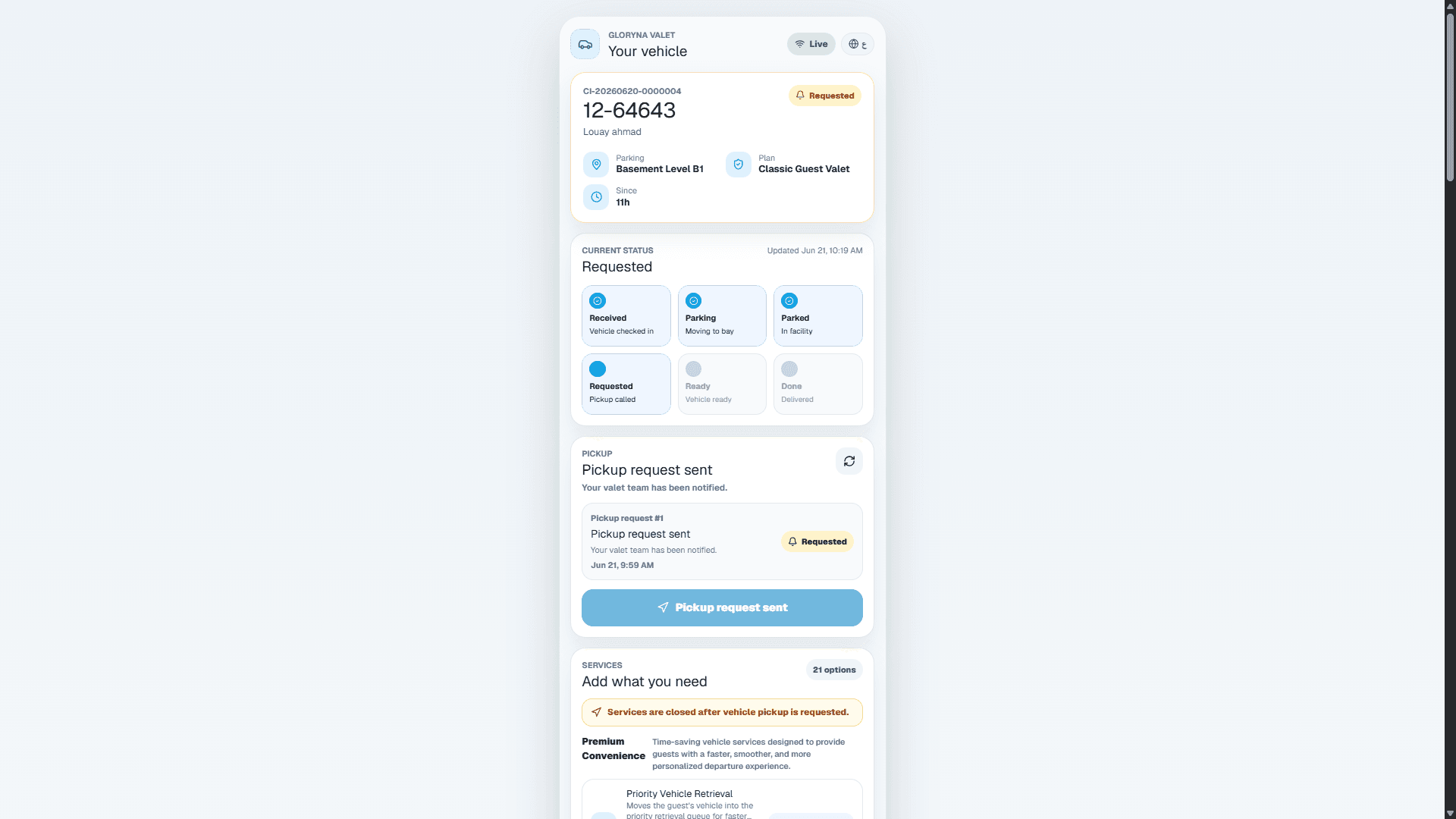
Guests can follow status and request the vehicle through a simple link.
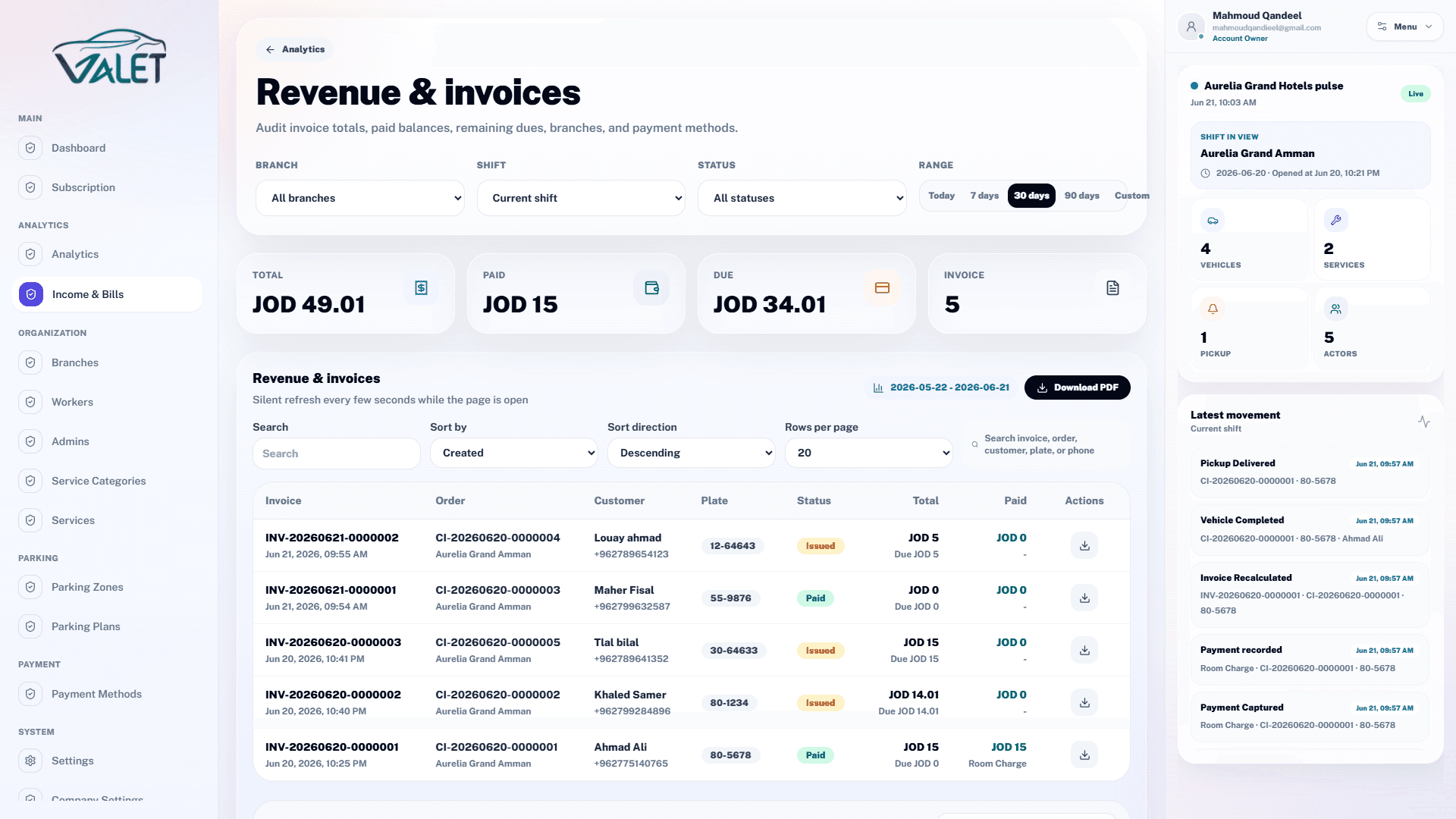
Services, vehicle records, and payment status stay connected.
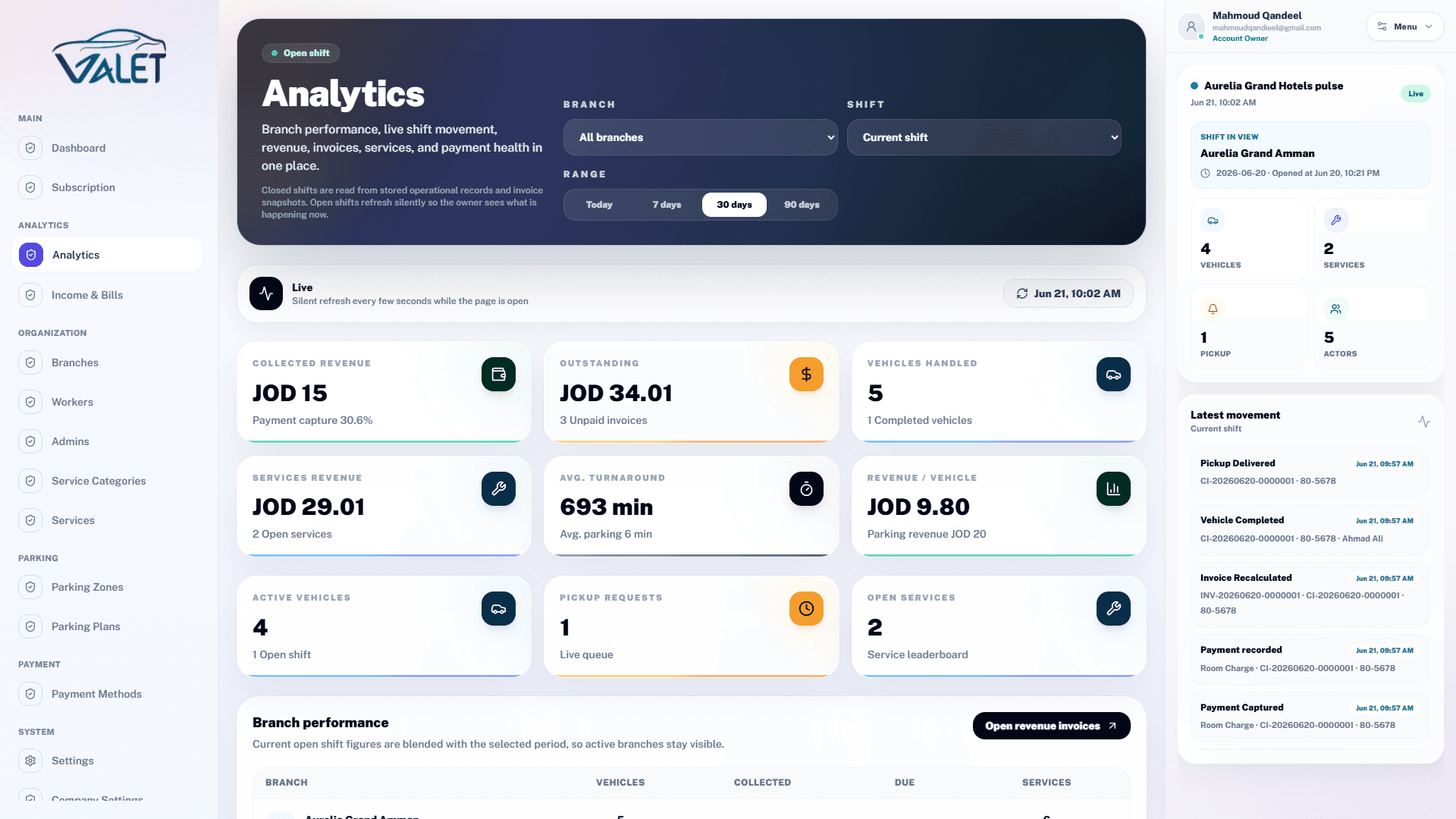
Managers review volume, activity, revenue, and operational pressure.
No calls, no setup fees, no waiting. The moment your payment goes through, everything lands in your inbox and you're live.
Step 1
A confirmation email arrives the instant your payment is processed — no delay.
Step 2
Your email, username, and temporary password are included. Change the password on first login.
Step 3
Direct links to your management dashboard and the valet app — ready to use immediately.
Step 4
A full invoice is attached for your accounting records — no need to request it separately.
After that, just add your branches and team.
No installation. No complex configuration. No waiting for a support agent.
Bring your branch count, vehicle volume, staff model, and current bottlenecks. We will map the workflow to your actual operation.
Book a demo